
How to Create an AI Short Drama Series
Creating an AI short drama series takes more than generating a few attractive clips. You need a story that works in short episodes, repeatable characters and locations, dialogue that fits the footage, and an edit that makes every shot feel connected.
The most manageable starting point is a three-episode pilot: two speaking characters, one main location, and roughly 45–75 seconds per episode. In Dizi Fabrikası, you can build around fixed characters and locations, develop AI scripts, generate footage with models such as Wan, Kling, and MiniMax, add ElevenLabs dubbing, and assemble everything in the timeline editor.
Here is a practical workflow, using a small mystery drama as the example.
Design a series you can actually produce
A useful premise contains three things: a person who wants something, someone blocking them, and a secret that changes the situation.
For our example:
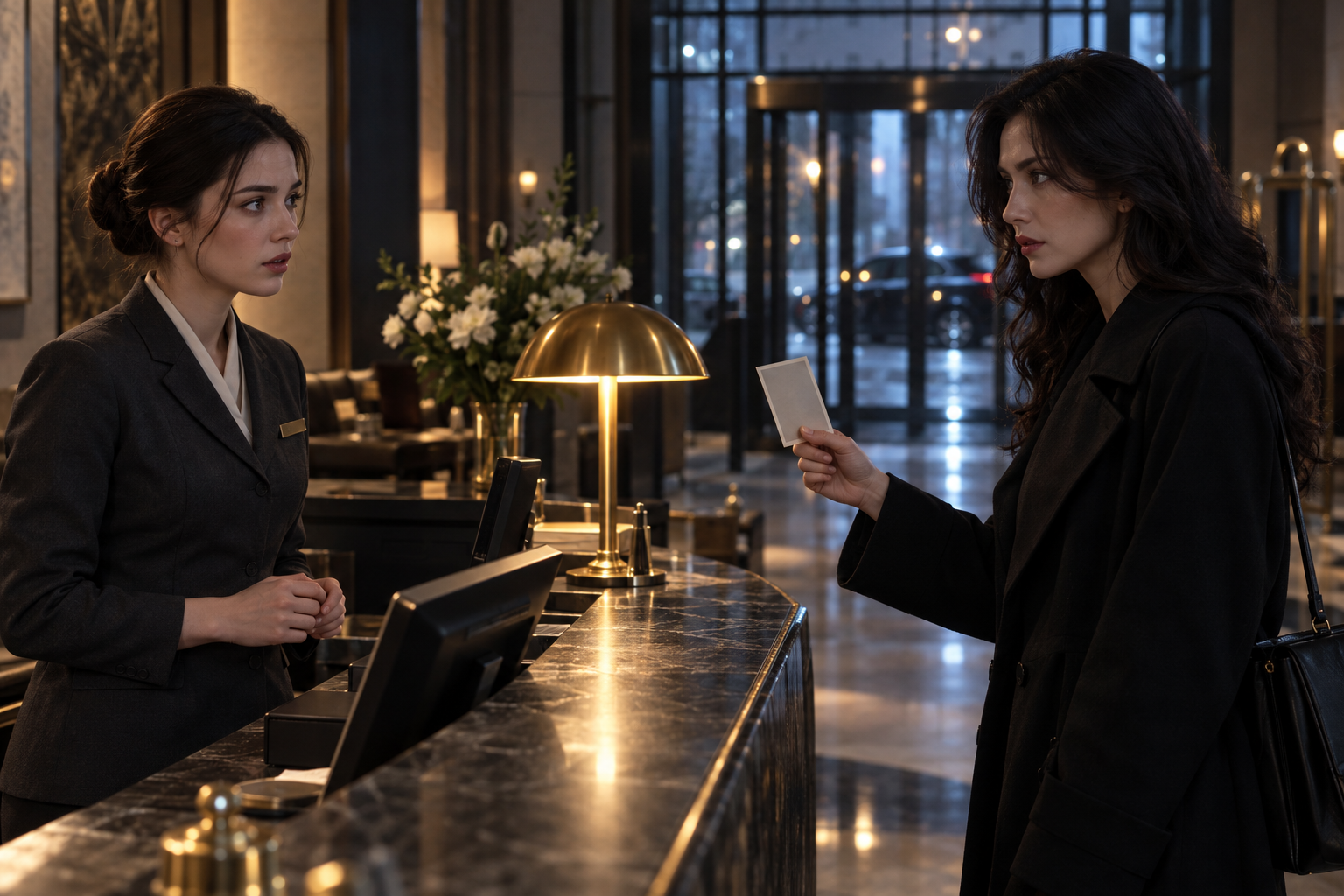
A hotel receptionist recognizes a missing guest in a visitor’s photograph. The visitor claims to be his sister, but the receptionist knows he never had one.
This gives us two characters, a hotel reception desk, and a clear reason to keep watching. It also avoids crowd scenes, car chases, and elaborate physical interactions that can become expensive to repair.
I recommend writing the pilot’s ending before generating any video. If you cannot describe the final reveal in one sentence, the premise probably needs another pass.
For this story, the ending might be: “The receptionist opens the guest record and finds her own photograph.” That is a specific visual destination, not just a promise that something mysterious will happen.
Give each episode a different job
Do not cut a long scene into three arbitrary pieces. Build three small dramatic turns:
- Episode 1: The visitor presents the photograph. The receptionist denies recognizing him, then secretly locks the front door.
- Episode 2: The visitor notices the locked door. She reveals that the missing man warned her about this hotel.
- Episode 3: The receptionist checks the guest record and discovers her own photograph under his name.
Each installment answers a small question while opening a bigger one. That structure matters more than adding another location or a more elaborate camera move.
Write the script for shots, not paragraphs
AI scriptwriting is useful for proposing conflicts, tightening dialogue, and testing alternate endings. It is less useful when you accept a draft without checking whether its actions can be filmed coherently.
Give the script model production limits, not just a genre:
Write a 60-second vertical mystery episode with two adult characters at a hotel reception desk. Use six to eight shots. Keep spoken dialogue under 95 words. Avoid crowds, fights, and actions that require precise hand contact. Begin with a suspicious photograph and end with the receptionist locking the door. Return a shot-by-shot script with action, dialogue, and intended duration.
Treat those numbers as starting constraints, not guarantees. Ninety-five words may still feel rushed once you include pauses, reaction shots, and a reveal. Read the dialogue aloud with a timer.
A workable opening could look like this:
| Shot | Picture | Audio | Target length |
|---|---|---|---|
| 1 | Visitor holds a photograph beside her face | “He checked in here on Tuesday.” | 5 seconds |
| 2 | Receptionist looks from the photograph to the visitor | A short silence | 3 seconds |
| 3 | Receptionist behind the desk | “I’ve never seen him.” | 4 seconds |
| 4 | Visitor studies her expression | “I didn’t ask if you had.” | 4 seconds |
These are editorial targets, not model-generation settings. Generate suitable footage, then trim it to the performance you need.
The exchange creates suspicion without narration. It also keeps the editing flexible: either line could play over the listener’s reaction if the speaking shot proves difficult to use.
How to produce your first AI short drama series
1. Lock a small production bible
Before rendering, create a one-page reference document containing:
- Each character’s appearance, wardrobe, and assigned voice.
- The location’s layout, lighting, and recurring props.
- The aspect ratio and overall visual style.
- The story facts that cannot change between episodes.
For our hotel, specify where the desk sits, which side contains the entrance, and whether the scene takes place at night. These details affect continuity as much as faces do.
Dizi Fabrikası’s fixed-character and fixed-location approach gives you reusable foundations. It does not remove the need to review outputs. If identity drift is your main obstacle, read How to Create Consistent Characters in AI Video before generating a full episode.
2. Test one difficult exchange first
Do not render all three episodes immediately. Start with a short exchange containing both characters, a reaction, and a visible prop.
This exposes problems early: an unsuitable voice, unstable wardrobe, inconsistent lighting, or a photograph that changes between shots.
Use the same test brief when comparing Wan, Kling, or MiniMax. Available controls, durations, and output behavior can differ by model and version. Choose based on the actual result you need, rather than assuming one model is best at everything.
Once a test works, keep the successful settings and reference material together.
3. Generate simple, editable shots
A reliable shot usually has one dominant action. “The visitor looks toward the locked door” is easier to evaluate than “The visitor spins around, drops her bag, grabs the receptionist, and points at the photograph.”
A practical prompt might read:
Vertical medium close-up of the established visitor at the hotel reception desk, wearing her established dark coat. She shifts her gaze toward the entrance, then holds still with a suspicious expression. Warm desk-lamp light, dark background, restrained performance, static camera.
Avoid packing essential story information into tiny objects. If viewers must read a guest record, build a controlled insert for that information during editing instead of depending on generated text to be accurate.
Review every take for face identity, clothing, background layout, motion artifacts, and usable start and end frames. A beautiful shot that breaks the story is still a rejected shot.
4. Build the voice track before the final cut
Assign one ElevenLabs voice to each character and keep that mapping stable. Then generate dialogue in short, clearly labeled units rather than one long file covering several scenes.
Listen for pronunciation, pacing, and emotional direction. A receptionist trying to hide recognition should not sound cheerfully helpful. Change punctuation or rewrite the line when necessary; making a sentence shorter often works better than forcing an awkward reading.
Dubbing and lip synchronization are separate tasks. A consistent voice does not automatically produce matching mouth movements. Review visible speaking shots carefully, and use reaction shots or off-screen dialogue where appropriate.
Only use voices you have permission to use. If you plan to clone a voice, obtain explicit consent and check the provider’s applicable terms.
5. Assemble for clarity in the timeline
In Dizi Fabrikası’s timeline editor, begin with dialogue and the essential story shots. Add atmosphere after the scene makes sense without it.
For a 60-second episode, a useful planning structure is:
- 0–5 seconds: Show the problem.
- 5–35 seconds: Develop the confrontation.
- 35–50 seconds: Introduce information that changes its meaning.
- 50–60 seconds: Land the reveal and leave a question open.
This is a template, not a performance formula. Let a strong reaction breathe rather than trimming it merely to satisfy a timestamp.
Check the vertical frame on a phone. Keep faces, props, and subtitles clear of likely interface overlays on your destination platform. Use restrained room tone beneath dialogue; music should not hide an unclear line.
Control costs by limiting regeneration
The number of final shots is not the number of generations you will need. Eight shots with three attempts each means 24 generations, before any later repairs. That is planning arithmetic, not a promised average.
Separate failures into two categories. Technical failures include distorted faces and unusable motion. Creative failures include a weak reveal or dialogue that explains too much. Regenerating footage will not fix the second category; revise the script first.
Check pricing against your intended production volume before committing to a season. You can also browse the community showcase for framing and pacing ideas, without assuming another creator’s results will transfer directly to your project.
The sensible milestone is one finished episode with a repeatable process. When that works, start your series with the remaining pilot scripts rather than expanding the cast immediately.
FAQ
How long should an AI short drama episode be?
For a first pilot, aim for 45–75 seconds. That leaves room for a setup, a confrontation, and a reveal without requiring many locations. Shorten or extend it according to the story and your publishing platform, not an assumed universal ideal.
Can I make an AI drama series without filming actors?
Yes. You can combine AI-generated characters, locations, video, and synthetic dialogue without filming live performances. You still need to direct the scenes, review continuity, edit timing, and confirm that you have rights to the references, voices, music, and other assets you use.
What is the hardest part of making multiple episodes?
Maintaining continuity while changing the action. Faces, clothing, voices, room layout, and story facts all need to remain coherent. Keep a production bible and approve one episode before scaling up. Fixed assets help, but careful review remains essential.
Make your own AI series
Fixed characters, fixed locations, consistent voices and a pro editor in one studio.
Start creatingKeep reading
- How to Create Consistent Characters in AI Video
Create consistent characters in AI video with a practical workflow for reference images, shot planning, voice casting, and editing a vertical drama series.